
Policy & Source Configuration
The Configuration group in the Caber User Console sidebar provides visual editors, connection testers, and validation tools for managing the deployment's governance policies, SDK fleet, identity providers, object stores, and runtime environment settings.
Policy Studio & Wasm Activation (/admin/config/policies)
Navigating to Policies (/admin/config/policies) opens the Policy Studio (ConfigPolicies), where operators author, compile, and distribute WebAssembly (Wasm) governance bundles to connected Caber SDK and proxy instances.
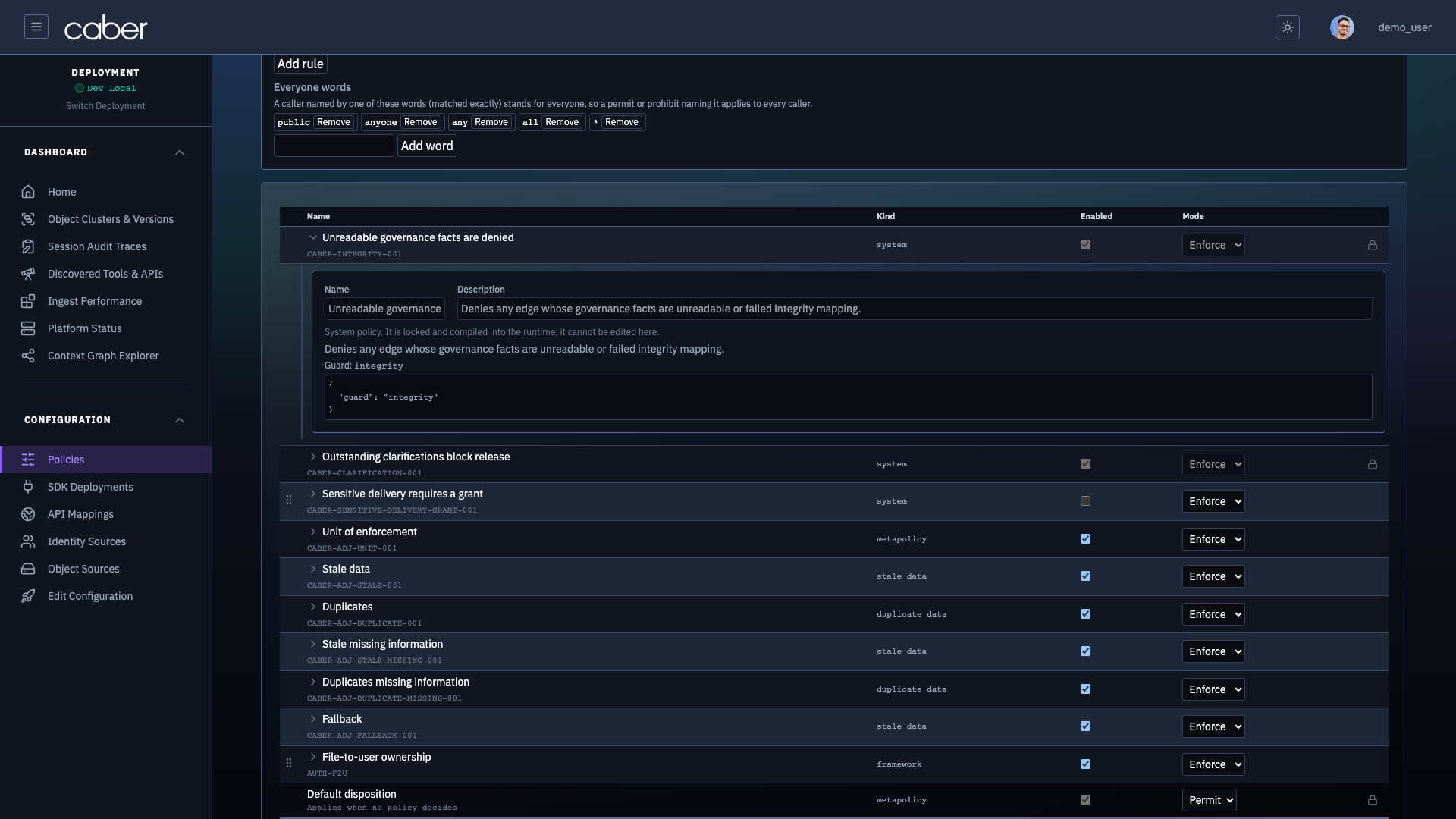
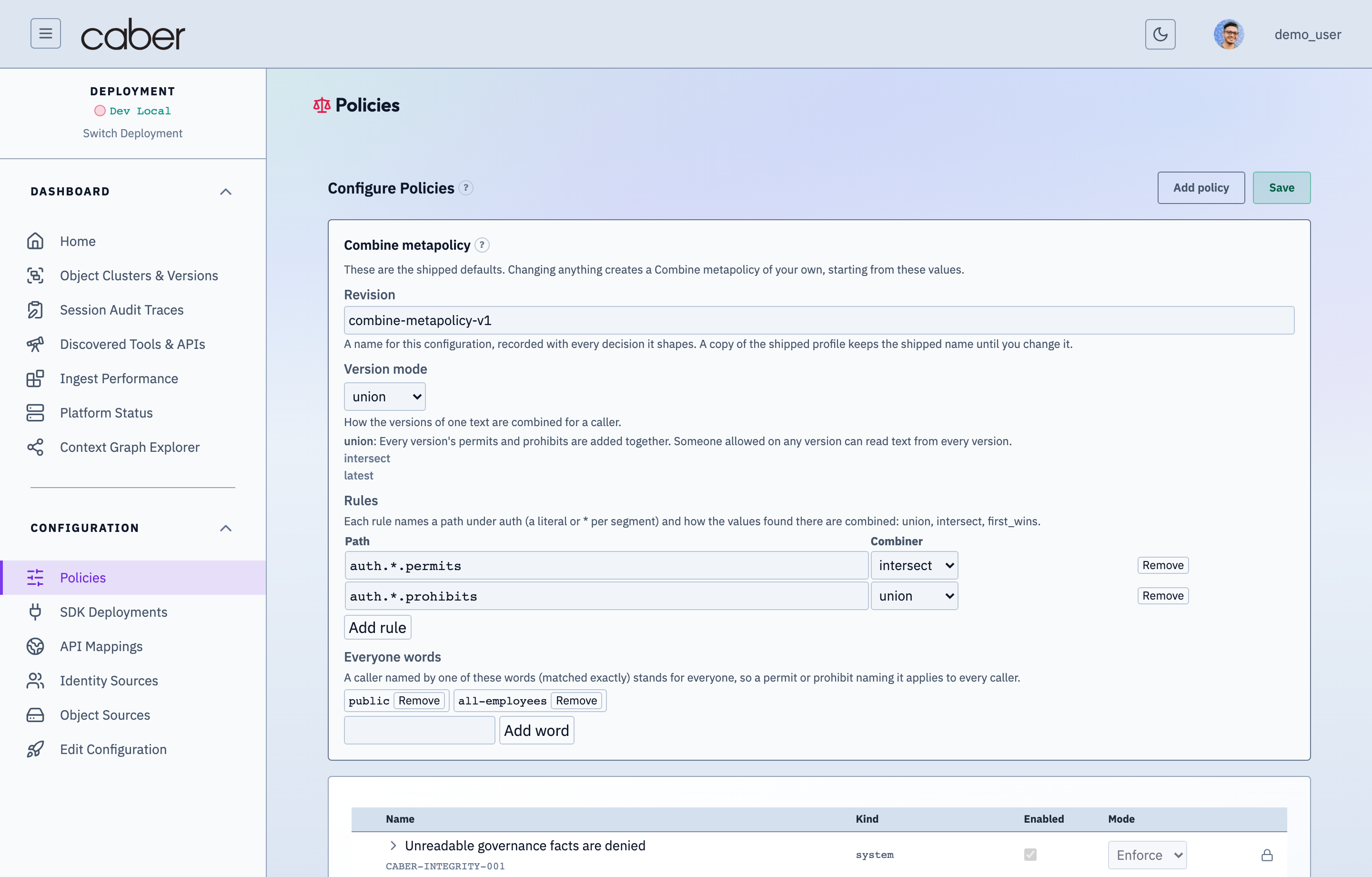
/admin/config/policiesContract v3 Policy Studio & Verdict Snapshot v3 Diff InspectorAssertion Verified: Proves that Contract v3 Rego/Wasm policies and multisource metapolicies surgically redact only the unauthorized byte spans ([start, end) in source coordinate space) while preserving 94% of safe surrounding context in the response.
Active Wasm Bundle Banner & Revision Lifecycle
At the top of /admin/config/policies, the Active Bundle Status Bar displays:
- Active Revision ID & Digest: Shows the currently enforced revision (
rev-14) and its cryptographic digest (sha256:8f9c2a41b7e04d19c83a621094e3f5b2). - Compilation & Distribution Activity Feed: Lists recent
compiledandactivatedevents across the fleet (Wasm bundle compiled,Distributed to 3 active SDK instances). Save & ActivateAction: Validates the authored policy set against the governance contract vocabulary, compiles a newWasmpolicy bundle, and pushes the revision to connected SDK instances.
Policy Category Tabs
Policy Studio organizes governance rules into five tabs aligned with Caber's hierarchical evaluation pipeline:
- Data Use Policies (
data_use): Fine grained rules governing which principals or attributes may access specific document regions,GLiNERentity labels (PERSON,ORGANIZATION,ACCOUNT_NUMBER,ROYALTY_RATE), or classification tags. - Framework Policies (
framework): Pre built regulatory and entitlement source profiles (auth_sourceoveracl,tag, andner). - Object Auth Metapolicies (
object_auth_metapolicy): Rules governing how document level access control lists and repository permissions are interpreted. - Combine Metapolicies (
combine_metapolicy): Rules specifying how multiple version or source entitlements combine (union,intersect,first_wins,latest). - Adjudication Metapolicies (
adjudication_metapolicy): Guard parameters controlling surgical redaction thresholds, collateral span removal, and fallback dispositions.
Policy Detail Editor & Condition Builder
Clicking any policy row in /admin/config/policies (or clicking + New Policy) opens the Policy Detail Editor, where operators edit the rule's scope, conditions, and enforcement mode.
/admin/config/policiesPolicy Studio Detail Editor — Contract v3 Rego Rules, Scope & Action ConfigurationAssertion Verified: Proves that selecting any policy in /admin/config/policies opens the full Contract v3 policy editor where operators configure principal scopes, source provenance conditions, surgical redaction vs block actions, and Enforce vs Observe (`would_have`) simulation mode.
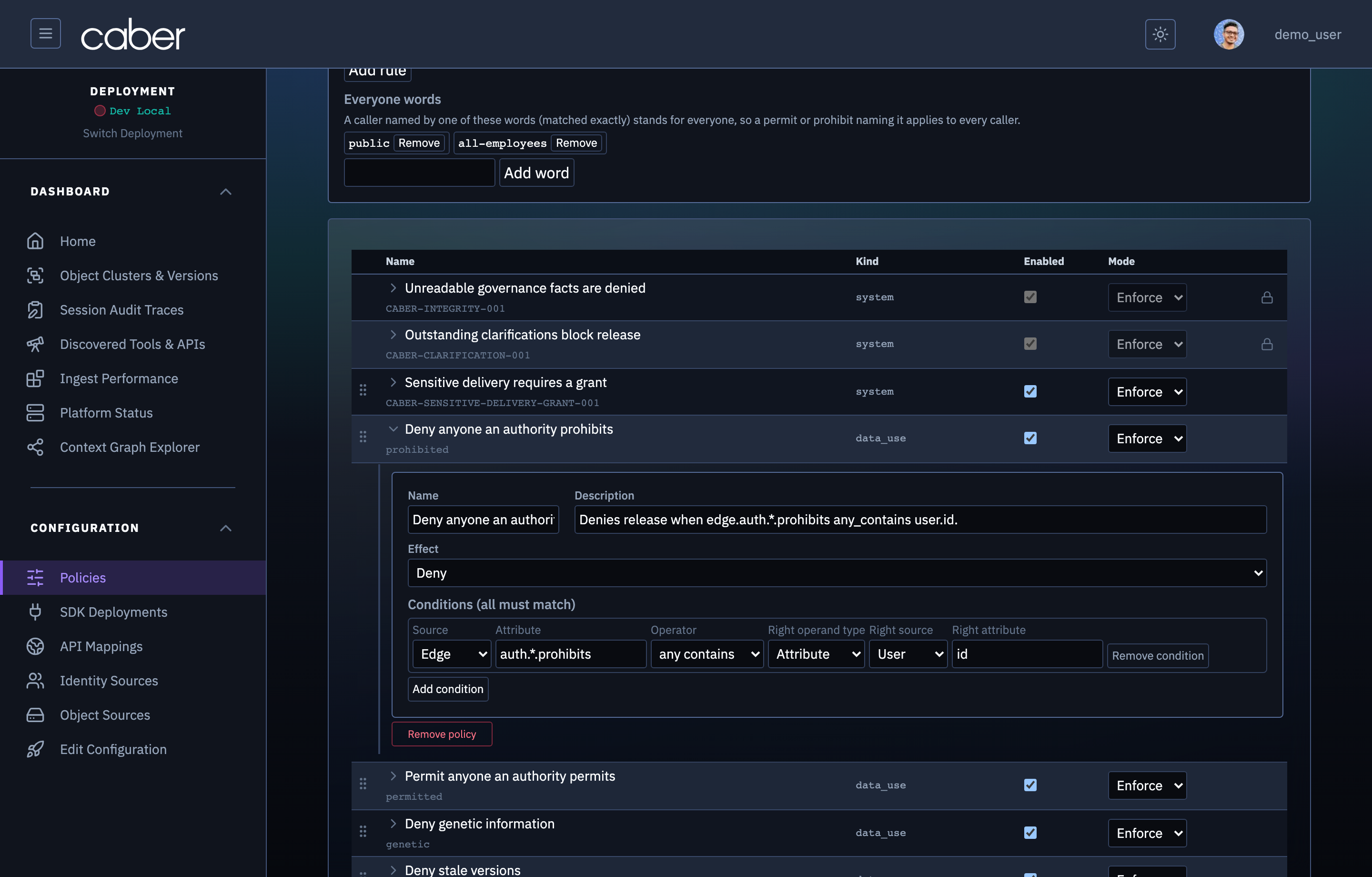
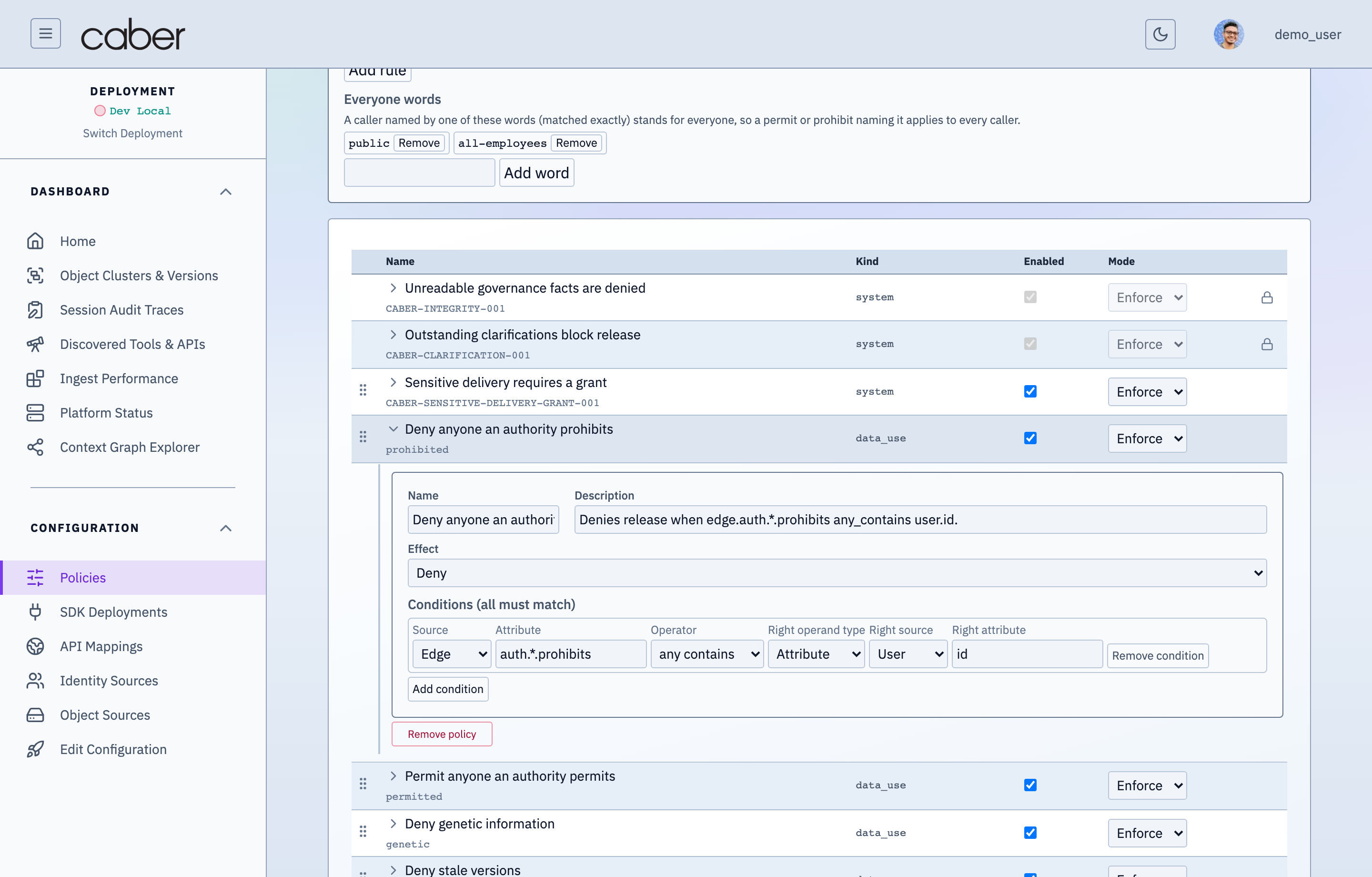
- Policy Metadata: Configure the policy identifier, human readable name, description, and priority order.
- Disposition & Enforcement Mode:
- Disposition:
allow,deny, orredact(triggers inline surgical redaction on matching spans). - Mode:
enforced(actively applied to live traffic) orshadow(evaluated and logged in audit traces without modifying payloads).
- Disposition:
- Condition Tree Builder: Builds boolean expression trees (
all,any,not) over vocabulary roots (principal.*,object.*,region.*,context.*) using typed operators (equals,in,contains,intersects) and attribute operand references.
SDK Deployments & Fleet Management (/admin/config/sdk-deployments)
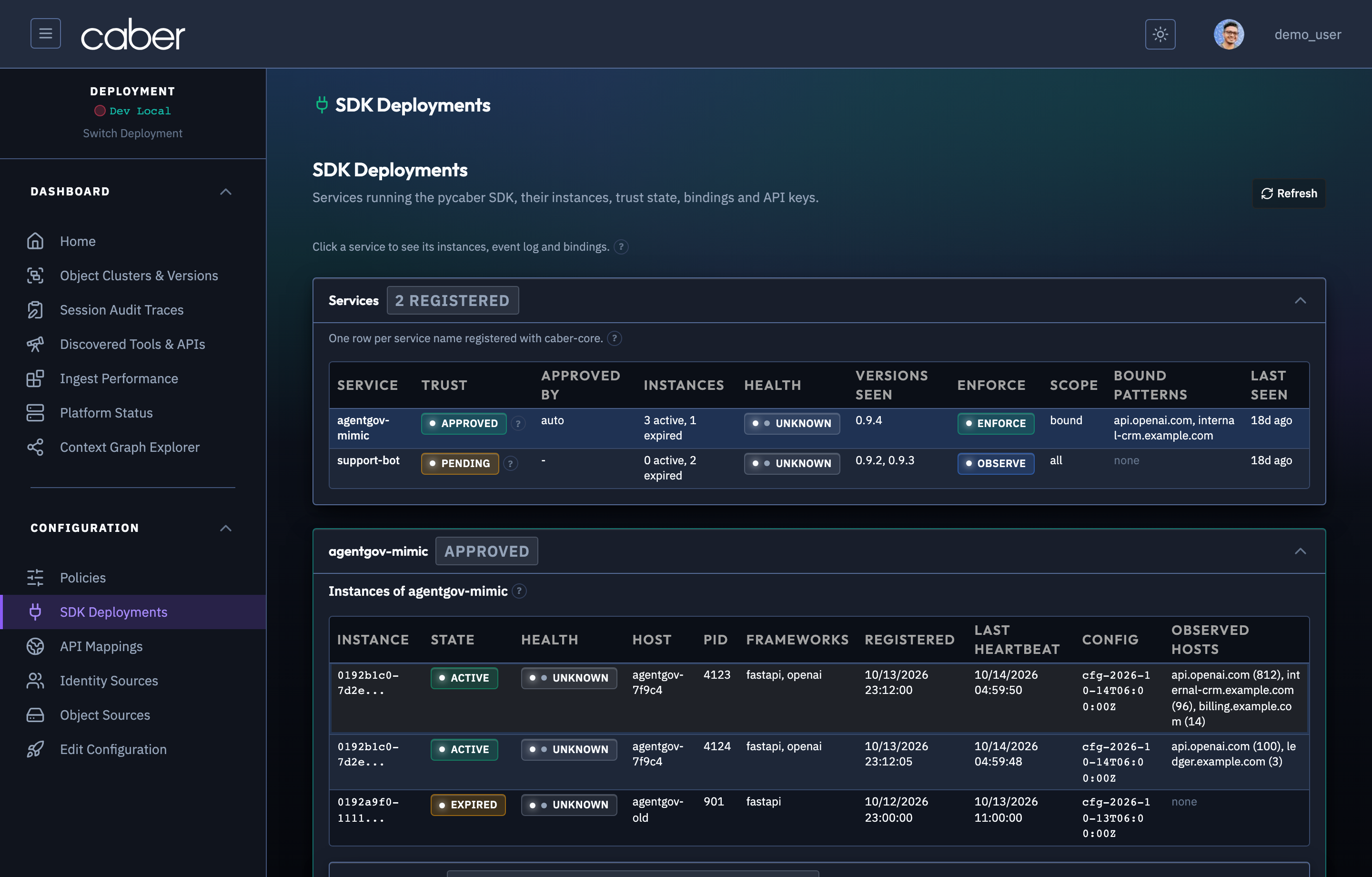
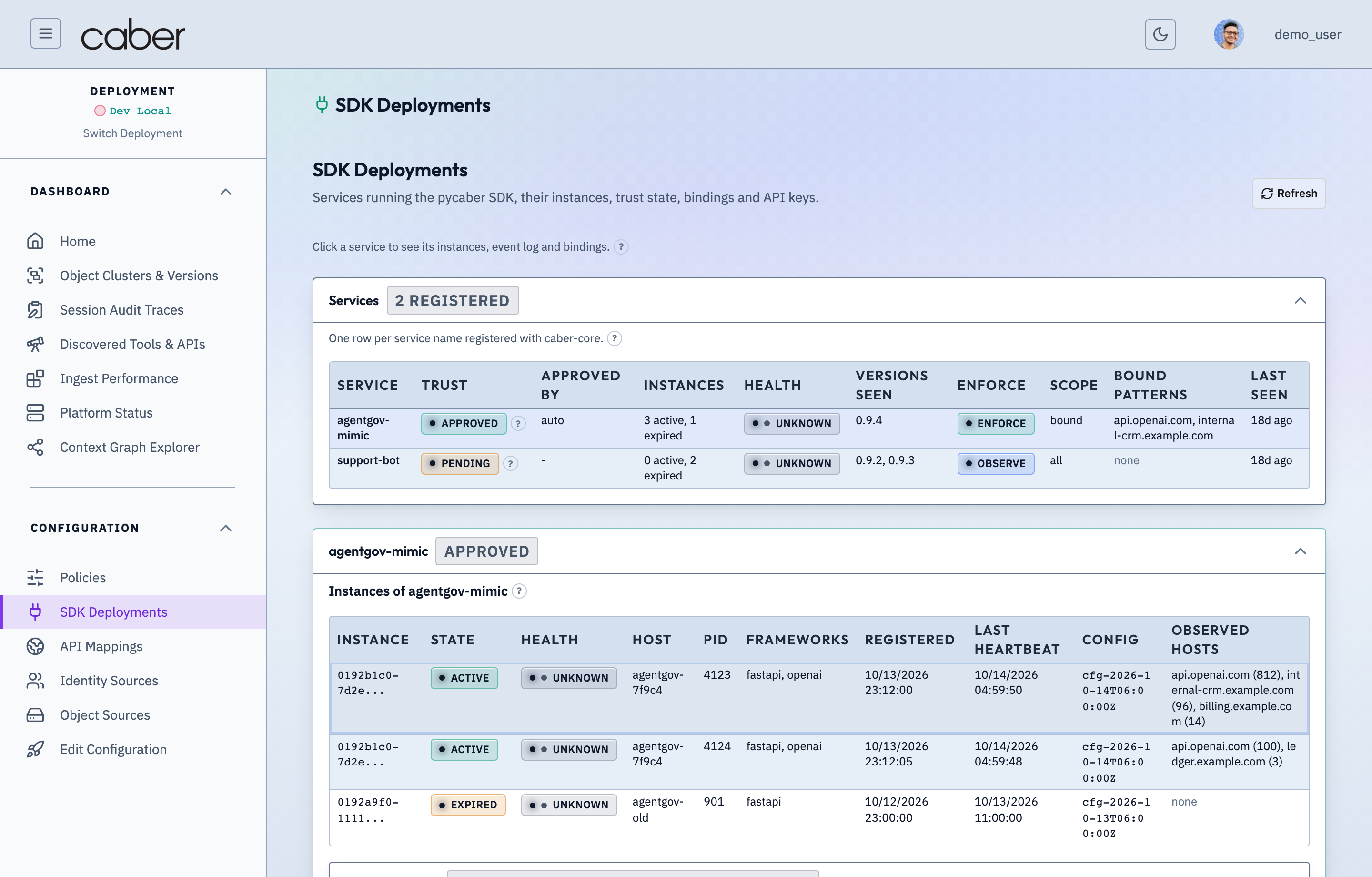
Navigating to SDK Deployments (/admin/config/sdk-deployments) opens the fleet management workspace (ConfigSdkDeployments), organized into three operational tabs: Services, Instances, and API Keys.
/admin/config/sdk-deploymentsSDK Deployments & Instrumented Services Fleet ManagerAssertion Verified: Proves that /admin/config/sdk-deployments tracks every running service instrumented with `pycaber(auto)` or the Resident Local Gateway, showing SDK versions, active ApiMap bindings, and live heartbeat status.
- Services Tab:
- Defines logical agent applications or proxy tiers (
agentgov-mimic-service,finance-rag-assistant). - Service API Map Bindings: Binds each service to specific
ApiMapkeys (api.openai.com,mcp-server-back-door,qdrant.example.com) so instances authenticating under that service automatically receive the appropriate interception and semantic extraction rules.
- Defines logical agent applications or proxy tiers (
- Instances Tab:
- Lists every live SDK or proxy process connected to the control plane, showing instance ID, hostname, SDK version, active policy revision (
rev-14), last heartbeat timestamp, and a sliding instance event log drawer.
- Lists every live SDK or proxy process connected to the control plane, showing instance ID, hostname, SDK version, active policy revision (
- API Keys Tab:
- Issues, rotates, and revokes scoped SDK authentication keys (
caber_sk_...) bound to specific logical services.
- Issues, rotates, and revokes scoped SDK authentication keys (
Identity Sources Configuration (/admin/config/identity-sources)
Navigating to Identity Sources (/admin/config/identity-sources) configures the directory and identity providers (ConfigIdentitySources) that resolve human principals, group memberships, and On Behalf Of (OBO) token claims.
/admin/config/identity-sourcesIdentity Sources Configuration — IdP, OIDC/JWT & Principal Directory ConnectorsAssertion Verified: Proves that operators configure enterprise Identity Providers (`Identity_Sources` such as Okta, Entra ID, AWS IAM, and OIDC/JWT issuers) in /admin/config/identity-sources to resolve groups, roles, and On-Behalf-Of (OBO) principal chains.
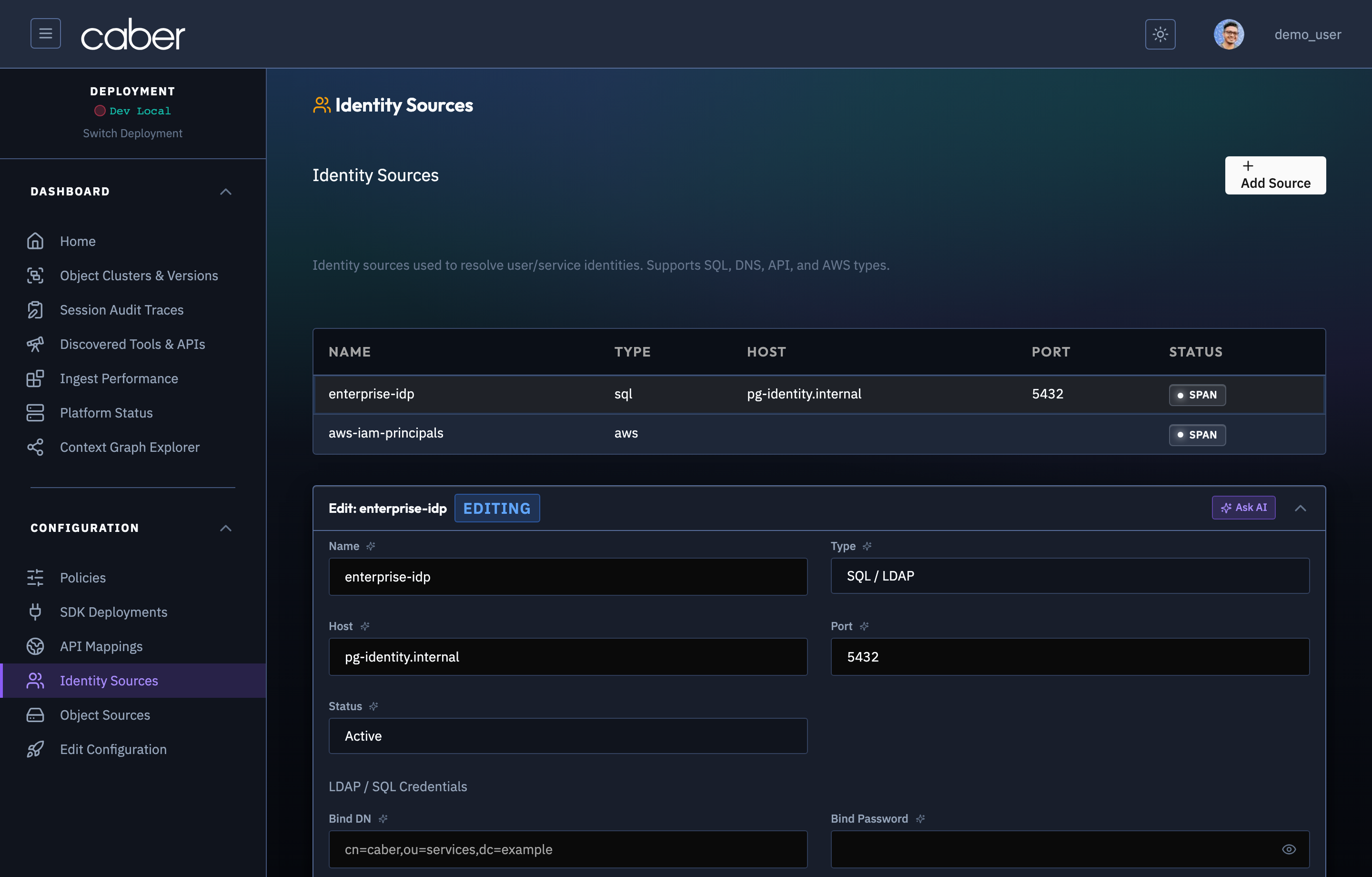
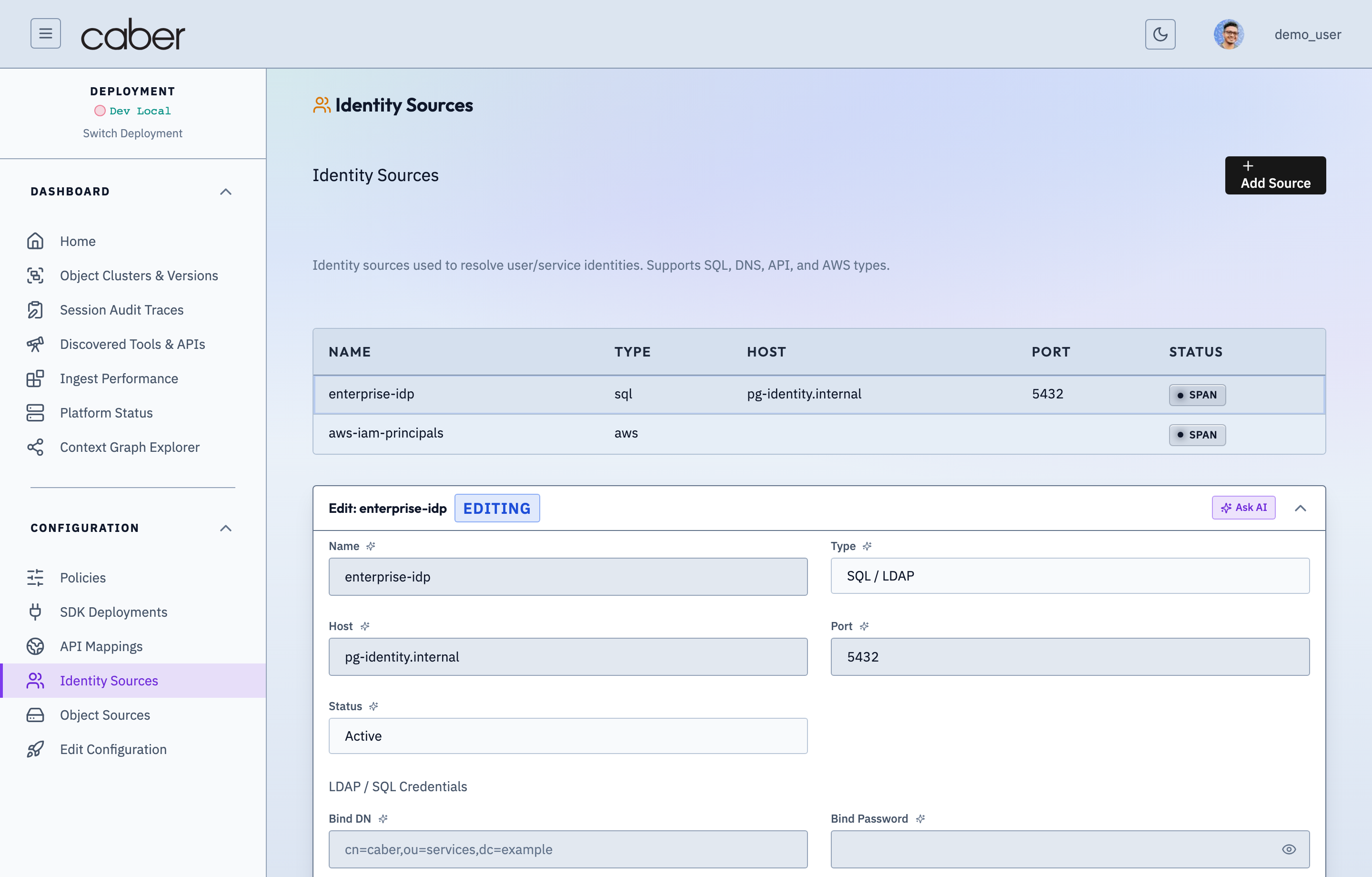
- Provider Cards & Table: Displays configured identity sources (
okta-enterprise-idp,corp-openldap) with their protocol type (oidc,ldap,scim,entra_id), issuer or server URL, principal claim mapping (sub,email,groups), and synchronization status. Test Connection: Executes a live directory bind or OIDC discovery check via/api/config/test-connectionto verify credentials and network reachability before saving.+ Add Identity Source: Opens a guided form to register a new identity provider and map its group and attribute claims into Caber's principal graph.
Object Sources Configuration (/admin/config/object-sources)
Navigating to Object Sources (/admin/config/object-sources) configures the document repositories and buckets (ConfigObjectSources) scanned by Caber's ingestion pipeline for n-mer characterization, version DAG construction, and ACL extraction.
/admin/config/object-sourcesObject Sources Configuration — Monitored S3 Buckets, Repositories & Scan SchedulesAssertion Verified: Proves that /admin/config/object-sources governs which S3-compatible buckets and document repositories (`Object_Sources`) are scanned by the WRL characterization pipeline and what baseline provenance labels apply to each source.
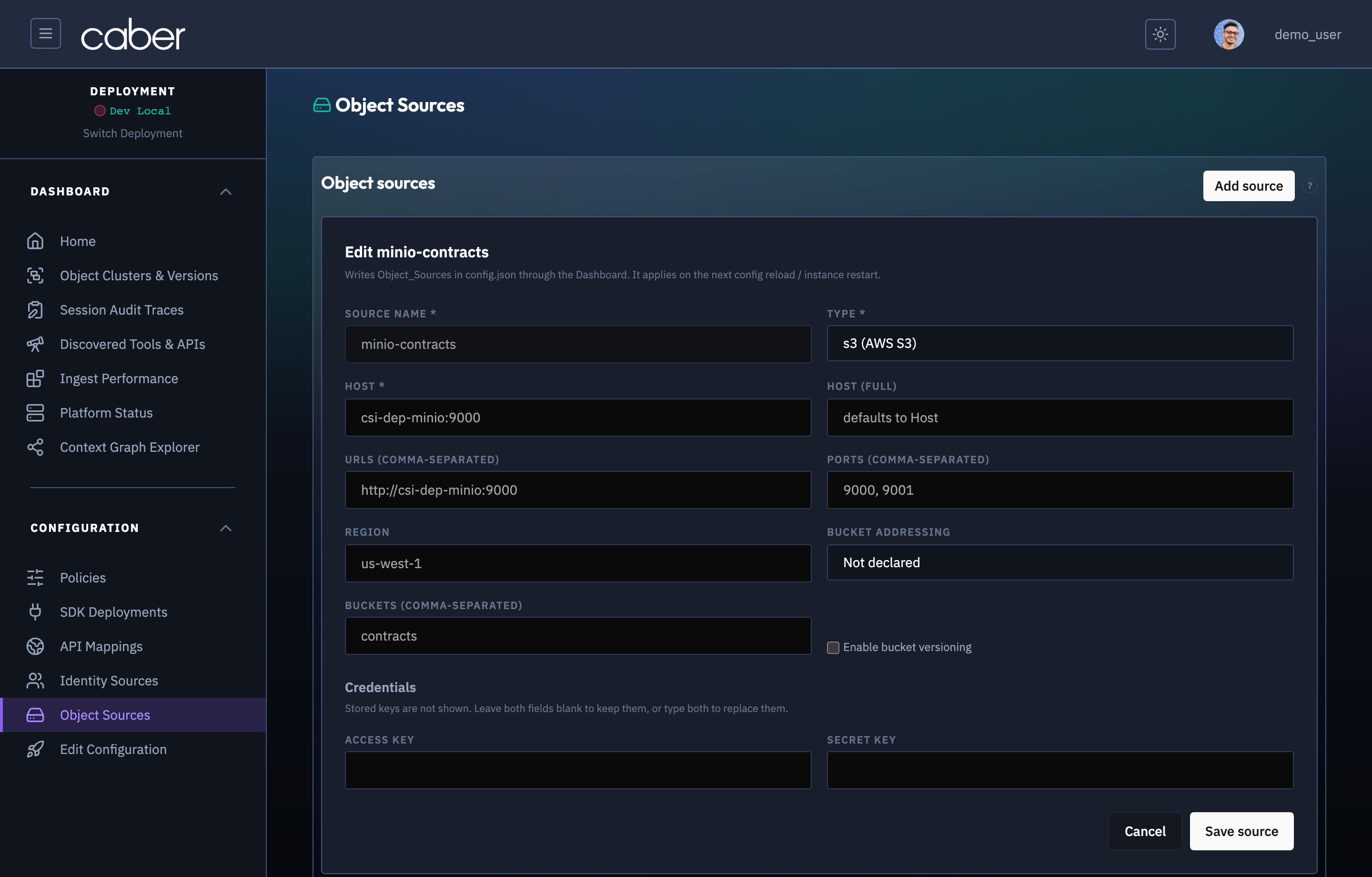
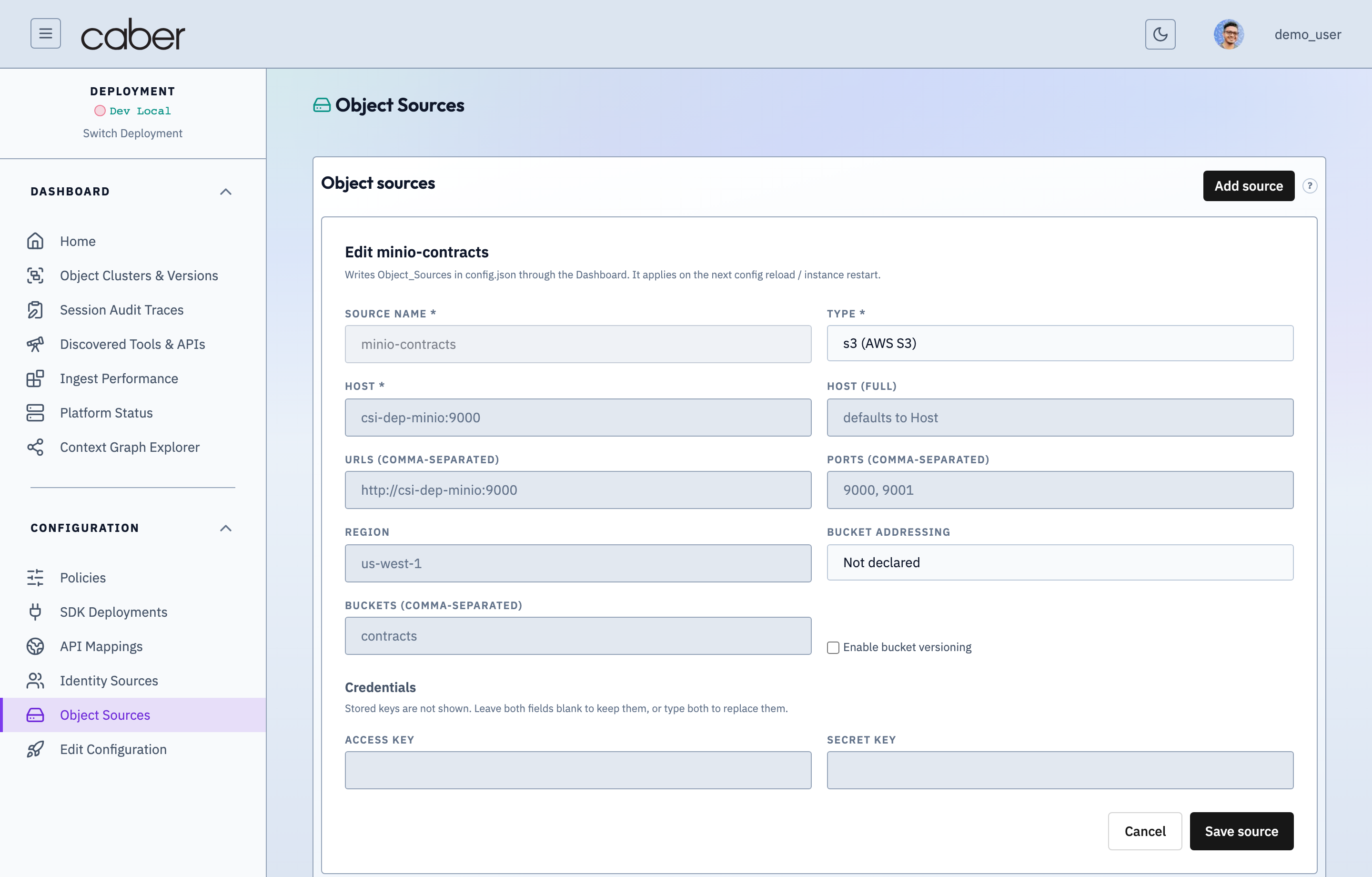
- Repository Settings: Each
Object_Sourcesentry (minio-contracts,s3-sec-filings) specifies the storage connector type (s3,minio,gcs,sharepoint), endpoint URL (http://minio.example.com:9000), bucket name, path prefix filters, TLS toggle (use_ssl), and polling schedule. - ACL & Metadata Extraction: Configures how document ownership, organizational clearance tags, and modification timestamps are extracted during ingestion and written into the Neo4j context graph.
Test Connection: Verifies bucket read permissions and credential validity directly from the console.
Additional Infrastructure & Runtime Sections
In addition to the primary studios above, the configuration workspace includes three specialized infrastructure editors:
- Environment (
/admin/config/environment): Configures cloud provider credentials (AWSaccount ID, region, access keys) and deployment wide telemetry endpoints. - SQL Databases (
/admin/config/sql-databases): Configures relational database connection pools (MySQLhost, port, schema, and credentials) used for structured metadata and operational state. - Advanced Settings (
/admin/config/advanced): Configures low level runtime parameters (RKCQFRabin Karp Content Quality Firewall parameters such ashashMode: sha256,keyBits: 64,slotsPower: 20, andNeo4jBolt URI and pool sizing).
Edit Configuration, AI Validation, & Diff Review (/admin/config/review)
Navigating to Edit Configuration (/admin/config/review) opens the unified configuration review and deployment workspace (ConfigReview), which stages all pending changes across ApiMap, Object_Sources, Identity_Sources, AWS, MySQL, Neo4j, and RKCQF.
/admin/config/reviewConfiguration Review, Cross-Subsystem Validation & Staged Publish DiffAssertion Verified: Proves that /admin/config/review validates cross-subsystem references (ensuring policies reference valid identity/object sources and SDK services reference valid ApiMaps) before operators commit configuration changes to the cluster.
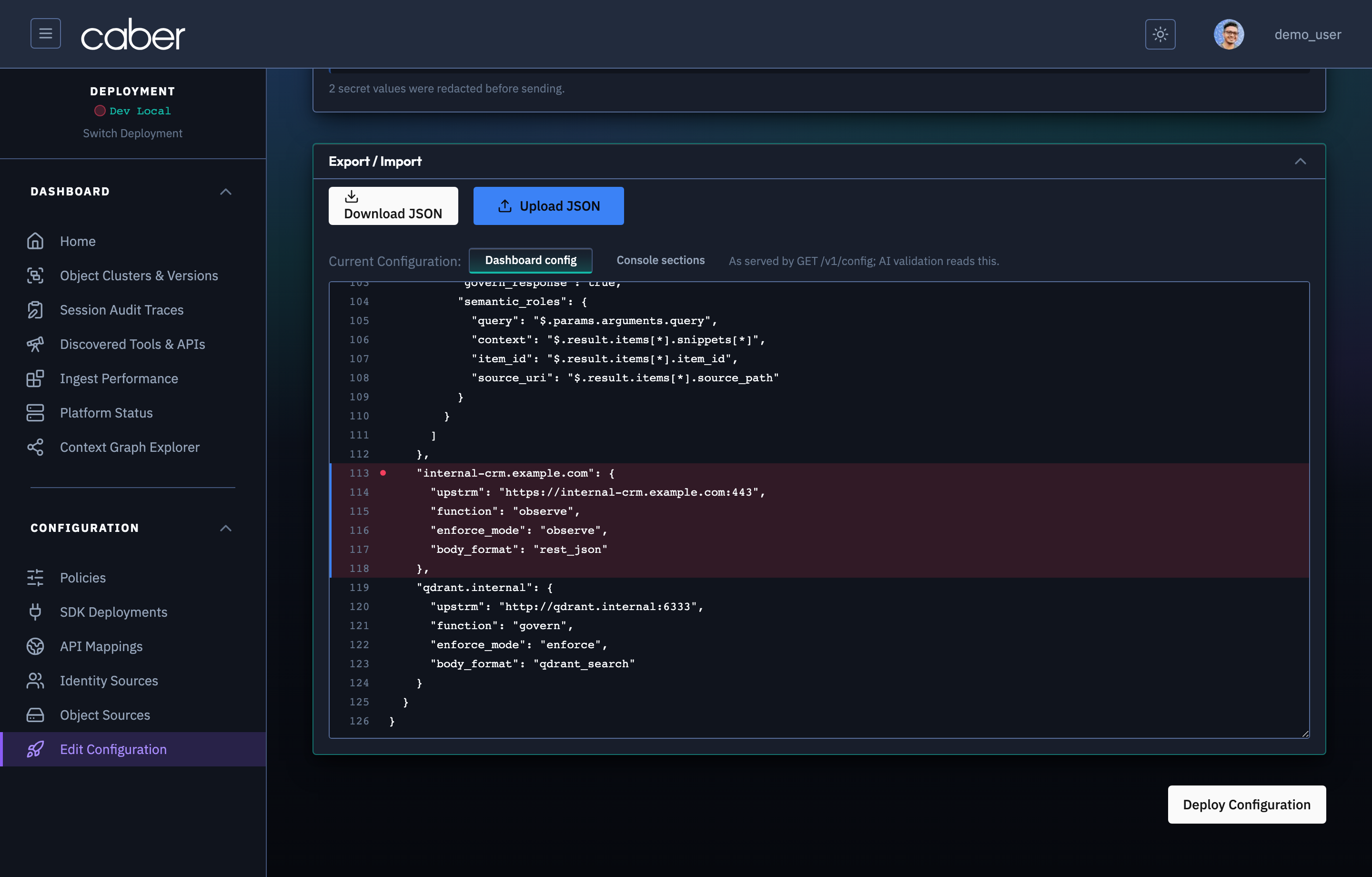
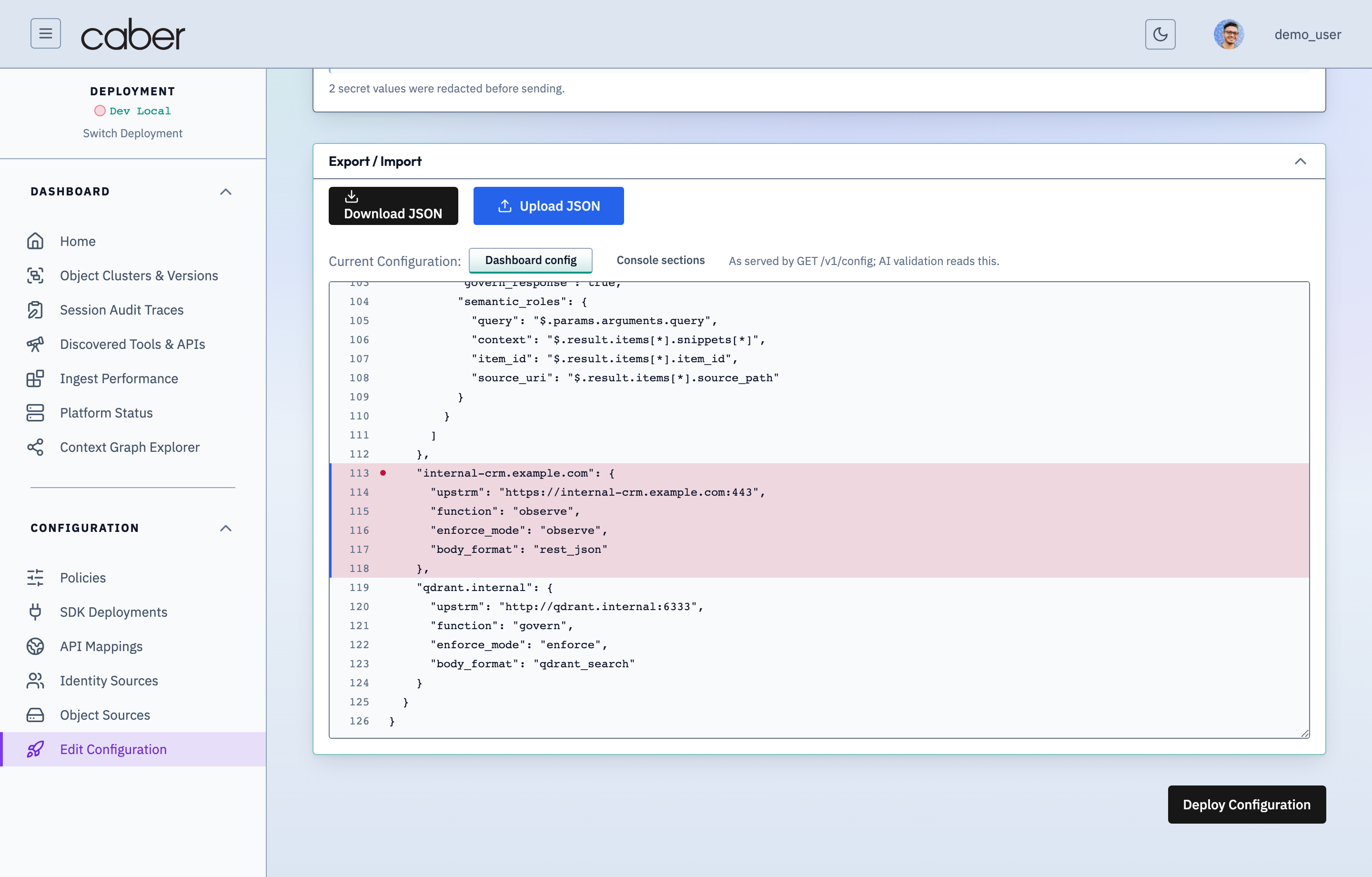
- Stage & Inspect Diff: Any edits made in the visual configuration studios or raw JSON editor appear in the Pending Changes Diff viewer, highlighting added, modified, and removed keys against the active configuration version (
896c42529f). - Run AI Configuration Validation (
Validate Config): ClickingValidatesends the staged configuration to/api/config/validate, returning structured findings categorized by severity:error: Critical misconfigurations that could prevent effective governance (for example, anApiMaphost set tofunction=observewithoutroute_rules).warning: Security or operational posture warnings (for example, anObject_Sourcesbucket connecting over plain HTTP withuse_ssl: false).info: Informational confirmation of active cryptographic andRKCQFsizing parameters.
- One Click Remediation & Ask AI: Each validation finding includes a concrete remediation suggestion (
suggestion) and integrates with the slide over Ask AI Assistant drawer (AiAssistantPanel, documented under Contextual Ask AI Configuration Assistant Drawer in Console Overview) for interactive troubleshooting. - Apply Configuration: Once validation checks pass, clicking
Save & Applycommits the new configuration version to the control plane.